# hello_imgui
**Repository Path**: willowish/hello_imgui
## Basic Information
- **Project Name**: hello_imgui
- **Description**: No description available
- **Primary Language**: Unknown
- **License**: MIT
- **Default Branch**: master
- **Homepage**: None
- **GVP Project**: No
## Statistics
- **Stars**: 0
- **Forks**: 0
- **Created**: 2025-10-29
- **Last Updated**: 2026-02-06
## Categories & Tags
**Categories**: Uncategorized
**Tags**: None
## README
 _See the [HelloImGui documentation website](https://pthom.github.io/hello_imgui/) for API, usage and build instructions._
**OpenGL**
_See the [HelloImGui documentation website](https://pthom.github.io/hello_imgui/) for API, usage and build instructions._
**OpenGL**
[](https://github.com/pthom/hello_imgui/actions/workflows/Win_Mac_Linux.yml)
[](https://github.com/pthom/hello_imgui/actions/workflows/MinGW.yml)
**Mobile and web**
[](https://github.com/pthom/hello_imgui/actions/workflows/iOS.yml)
[](https://github.com/pthom/hello_imgui/actions/workflows/Android.yml)
[](https://github.com/pthom/hello_imgui/actions/workflows/Emscripten.yml)
**Alternate rendering backends**
[](https://github.com/pthom/hello_imgui/actions/workflows/Metal.yml)
[](https://github.com/pthom/hello_imgui/actions/workflows/Vulkan.yml)
[](https://github.com/pthom/hello_imgui/actions/workflows/DirectX.yml)
**Misc**
[](https://github.com/pthom/hello_imgui/actions/workflows/TestEngine.yml)
[](https://github.com/pthom/hello_imgui/actions/workflows/Automate.yml)
[](https://github.com/pthom/hello_imgui/actions/workflows/StarterTemplate.yml)
**Vcpkg**
[](https://github.com/pthom/hello_imgui/actions/workflows/VcpkgDeps.yml)
# Hello ImGui
Hello ImGui is a library designed to make multiplatform app development as simple as writing a "Hello World" program, built on top of [Dear ImGui](https://github.com/ocornut/imgui).
Its flexibility makes it suited for complex applications, as well as for simple prototypes; allowing you to focus on the creative aspects of your projects.
## Features
**Multiplatform utilities**
* Seamlessly multiplatform: supports Linux, Windows, macOS, iOS, Android, and Emscripten with minimal setup (1 line of CMake code)
* Asset embedding across all platforms (no code required)
* Effortless app customization, including app icons and names for mobile platforms (no code required)
* Universal application icon customization, extending to mobile and macOS (no code required)
**Dear ImGui Tweaks**
* Power Save mode: optimize performance by reducing FPS when idle
* High DPI support: automatically scales UI to match screen DPI on any platform.
* Enhanced layout handling: dockable windows and multiple layouts for complex UIs
* Window geometry utilities: autosize application window, restore app window position
* Theme tweaking: extensive list of additional themes
* Support for movable and resizable borderless windows
* Advanced font support: icons, emojis and colored fonts
* Integration with ImGui Test Engine: automate and test your apps
* Save user settings: window position, layout, opened windows, theme, user defined custom settings
* Easily add a custom 3D background to your app
**Backends**
* Available platform backends: SDL2, Glfw3
* Available rendering backends: OpenGL3, Metal, Vulkan, DirectX
## Full manual (PDF)
View or download the [full pdf](https://raw.githubusercontent.com/pthom/imgui_related_docs/refs/heads/main/manuals/hello_imgui_manual.pdf) for this manual. You may feed it into a LLM such as ChatGPT, so that it can help you when using Hello ImGui.
## Demos & real world apps
### Motto
The minimum code to start developing a GUI app should be... minimal. Here is a multiplatform Hello World in 7 lines.
*6 lines of C++*
```cpp
#include "hello_imgui/hello_imgui.h"
int main(int , char *[]) {
HelloImGui::Run(
[]{ ImGui::Text("Hello, world!"); }, // Gui code
"Hello!", true); // Window title + Window size auto
}
```
*1 line of CMake*
```cmake
hello_imgui_add_app(hello_world hello_world.cpp)
```
### Advanced layout
The docking demo show how to handle complex layouts, use themes, store user settings, reduce FPS and CPU usage when idling, load fonts and icons, and much more
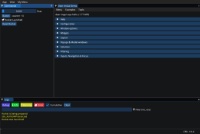
[Online demo](https://traineq.org/ImGuiBundle/emscripten/bin/demo_docking.html) - [Source](https://github.com/pthom/hello_imgui/blob/master/src/hello_imgui_demos/hello_imgui_demodocking/hello_imgui_demodocking.main.cpp) - Video tutorial: [how to handle multiple complex layouts](https://www.youtube.com/watch?v=XKxmz__F4ow)
### Custom 3D background
How to use a custom 3D background in your app
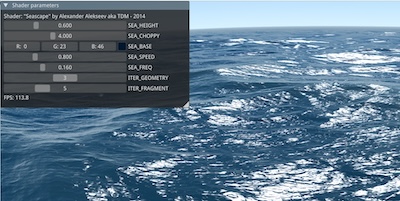
[Online demo](https://traineq.org/ImGuiBundle/emscripten/bin/demo_custom_background.html) - [Source](https://github.com/pthom/hello_imgui/blob/master/src/hello_imgui_demos/hello_custom_background/hello_custom_background.main.cpp)
### ImGui Manual
[ImGui Manual](https://pthom.github.io/imgui_manual_online/manual/imgui_manual.html) is an interactive Manual for Dear ImGui, built with Hello ImGui.
[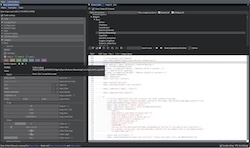](https://pthom.github.io/imgui_manual_online/manual/imgui_manual.html)
[Online manual](https://pthom.github.io/imgui_manual_online/manual/imgui_manual.html) -
[Source](https://github.com/pthom/imgui_manual)
### RPN Calculator
[RPN Calculator](https://pthom.github.io/imgui_rpn_calculator/) is a simple RPN calculator, built, built to demonstrate how easy a multiplatform app can be built with Hello ImGui.
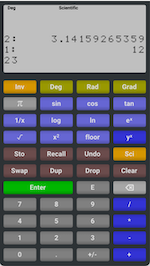
[Online demo](https://traineq.org/HelloImGui/rpn/rpn_calculator.html) - [Source](https://github.com/pthom/rpn_calculator/) - [Video tutorial](https://www.youtube.com/watch?v=dArP4lBnOr8)
### Starter template
[The starter template](https://github.com/pthom/hello_imgui_template) will get you started in 5 minutes, and shows how to embed assets, customize the app icon (etc.), on all platforms.
### Dear ImGui Bundle
[Dear ImGui Bundle](https://pthom.github.io/imgui_bundle/), a full-fledged library, built on top of Hello ImGui, provides lots of additional widgets ([imgui](https://github.com/ocornut/imgui.git), [implot](https://github.com/epezent/implot), [imgui-node-editor](https://github.com/thedmd/imgui-node-editor), [ImFileDialog](https://github.com/pthom/ImFileDialog.git), [ImGuiColorTextEdit](https://github.com/BalazsJako/ImGuiColorTextEdit), [imgui_md](https://github.com/mekhontsev/imgui_md.git)), as well as complete python bindings.
 [online interactive demo](https://traineq.org/ImGuiBundle/emscripten/bin/demo_imgui_bundle.html) - [Source for C++ demos](https://github.com/pthom/imgui_bundle/tree/main/bindings/imgui_bundle/demos_cpp) - [Source for Python demos](https://github.com/pthom/imgui_bundle/tree/main/bindings/imgui_bundle/demos_python)
### Theme tweaking
How to use the theme tweaking utilities provided by Hello ImGui
[Online video tutorial](https://www.youtube.com/watch?v=4f_-3DDcAZk)
---
## About
### Credits
Hello ImGui is based on [Dear ImGui](https://github.com/ocornut/imgui) (MIT License), by Omar Cornut. Portions use [ImGui Test Engine](https://github.com/ocornut/imgui_test_engine), which is governed by a [specific license](https://github.com/ocornut/imgui_test_engine/blob/main/imgui_test_engine/LICENSE.txt)
Portions of this software use the [FreeType Project](https://www.freetype.org), [plutosvg](https://github.com/sammycage/plutosvg) (MIT License), [GLFW](https://www.glfw.org/) (zlib/libpng license), [SDL](https://www.libsdl.org/) (zlib license).
### License
Hello ImGui is licensed under the MIT License, see [LICENSE](https://github.com/pthom/hello_imgui/blob/master/LICENSE)
### Contribute
Quality contributions are welcome!
### Support the project
Hello ImGui is a free and open source project, and its development and maintenance require considerable efforts.
If you find it valuable for your work – especially in a commercial enterprise or a research setting – please consider supporting its development by [making a donation](https://www.paypal.com/donate/?hosted_button_id=SHJ68RVDKURZA). Thank you!
# More info
_See the [HelloImGui documentation website](https://pthom.github.io/hello_imgui/) for API, usage and build instructions._
[online interactive demo](https://traineq.org/ImGuiBundle/emscripten/bin/demo_imgui_bundle.html) - [Source for C++ demos](https://github.com/pthom/imgui_bundle/tree/main/bindings/imgui_bundle/demos_cpp) - [Source for Python demos](https://github.com/pthom/imgui_bundle/tree/main/bindings/imgui_bundle/demos_python)
### Theme tweaking
How to use the theme tweaking utilities provided by Hello ImGui
[Online video tutorial](https://www.youtube.com/watch?v=4f_-3DDcAZk)
---
## About
### Credits
Hello ImGui is based on [Dear ImGui](https://github.com/ocornut/imgui) (MIT License), by Omar Cornut. Portions use [ImGui Test Engine](https://github.com/ocornut/imgui_test_engine), which is governed by a [specific license](https://github.com/ocornut/imgui_test_engine/blob/main/imgui_test_engine/LICENSE.txt)
Portions of this software use the [FreeType Project](https://www.freetype.org), [plutosvg](https://github.com/sammycage/plutosvg) (MIT License), [GLFW](https://www.glfw.org/) (zlib/libpng license), [SDL](https://www.libsdl.org/) (zlib license).
### License
Hello ImGui is licensed under the MIT License, see [LICENSE](https://github.com/pthom/hello_imgui/blob/master/LICENSE)
### Contribute
Quality contributions are welcome!
### Support the project
Hello ImGui is a free and open source project, and its development and maintenance require considerable efforts.
If you find it valuable for your work – especially in a commercial enterprise or a research setting – please consider supporting its development by [making a donation](https://www.paypal.com/donate/?hosted_button_id=SHJ68RVDKURZA). Thank you!
# More info
_See the [HelloImGui documentation website](https://pthom.github.io/hello_imgui/) for API, usage and build instructions._