# PartialSheet
**Repository Path**: jerry8679/PartialSheet
## Basic Information
- **Project Name**: PartialSheet
- **Description**: 自定义SwiftUI修改器,根据其内容大小显示部分模式表。
- **Primary Language**: Swift
- **License**: MIT
- **Default Branch**: master
- **Homepage**: None
- **GVP Project**: No
## Statistics
- **Stars**: 0
- **Forks**: 0
- **Created**: 2022-02-19
- **Last Updated**: 2022-02-19
## Categories & Tags
**Categories**: Uncategorized
**Tags**: None
## README



# PartialSheet
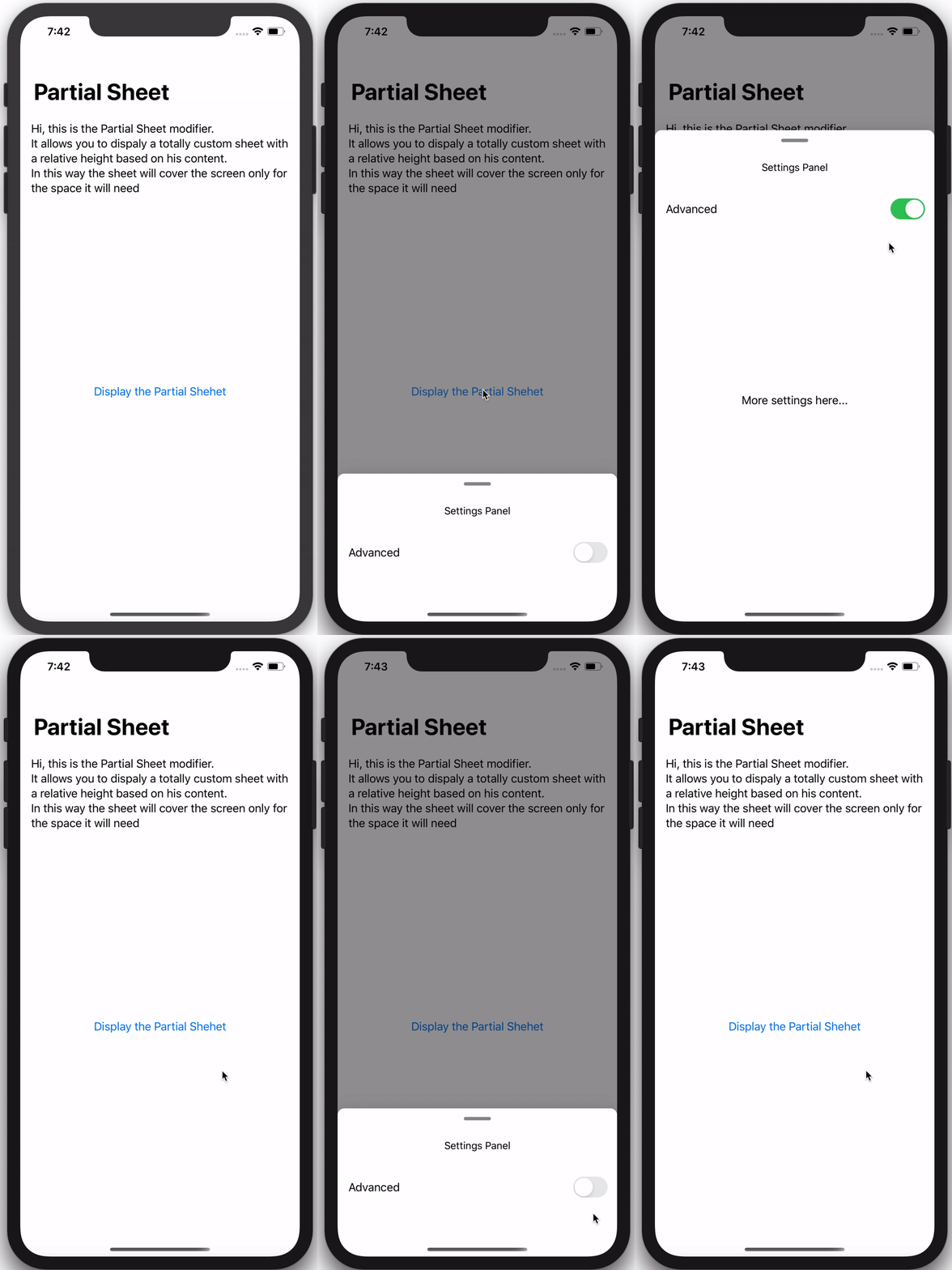
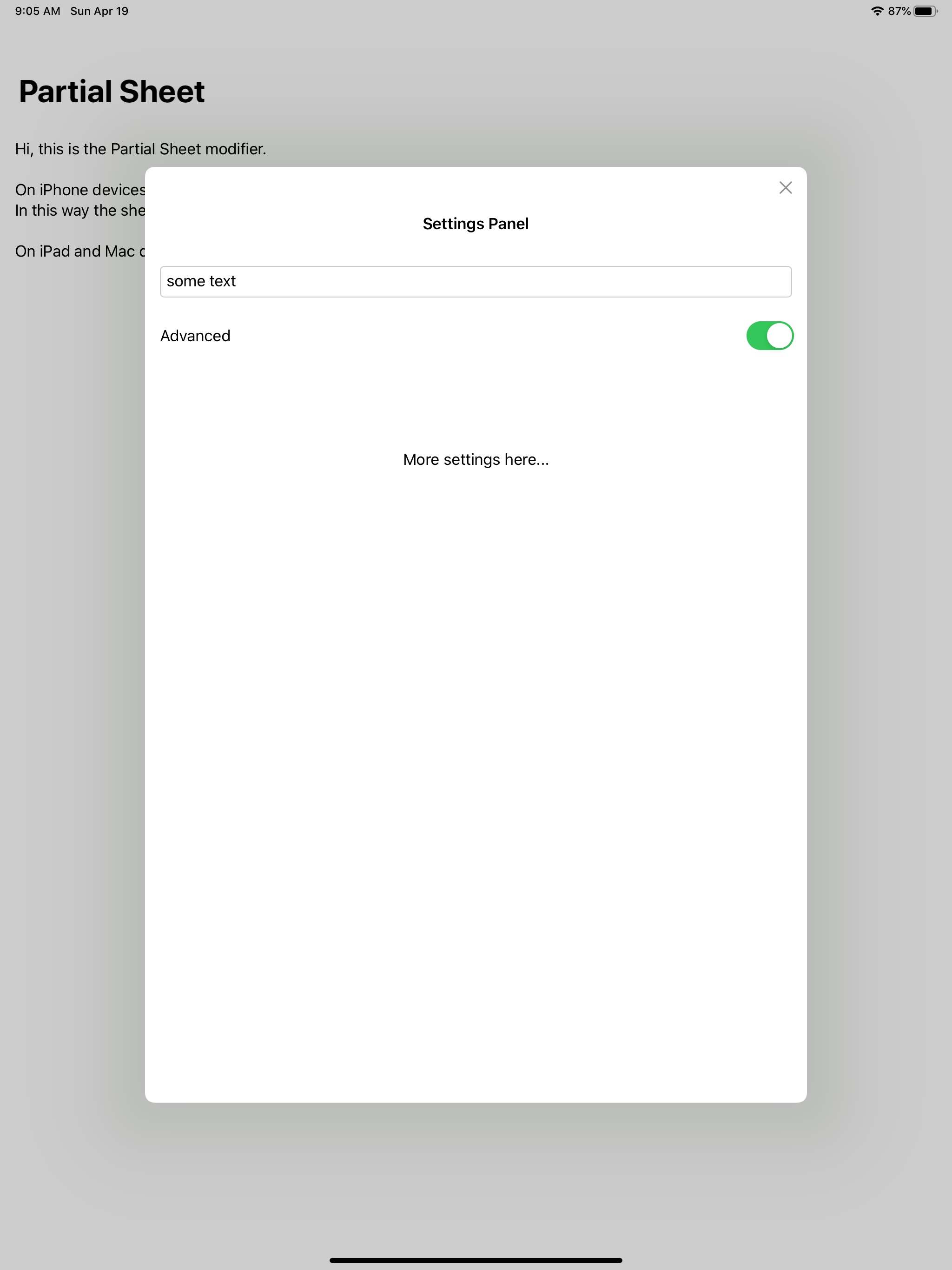
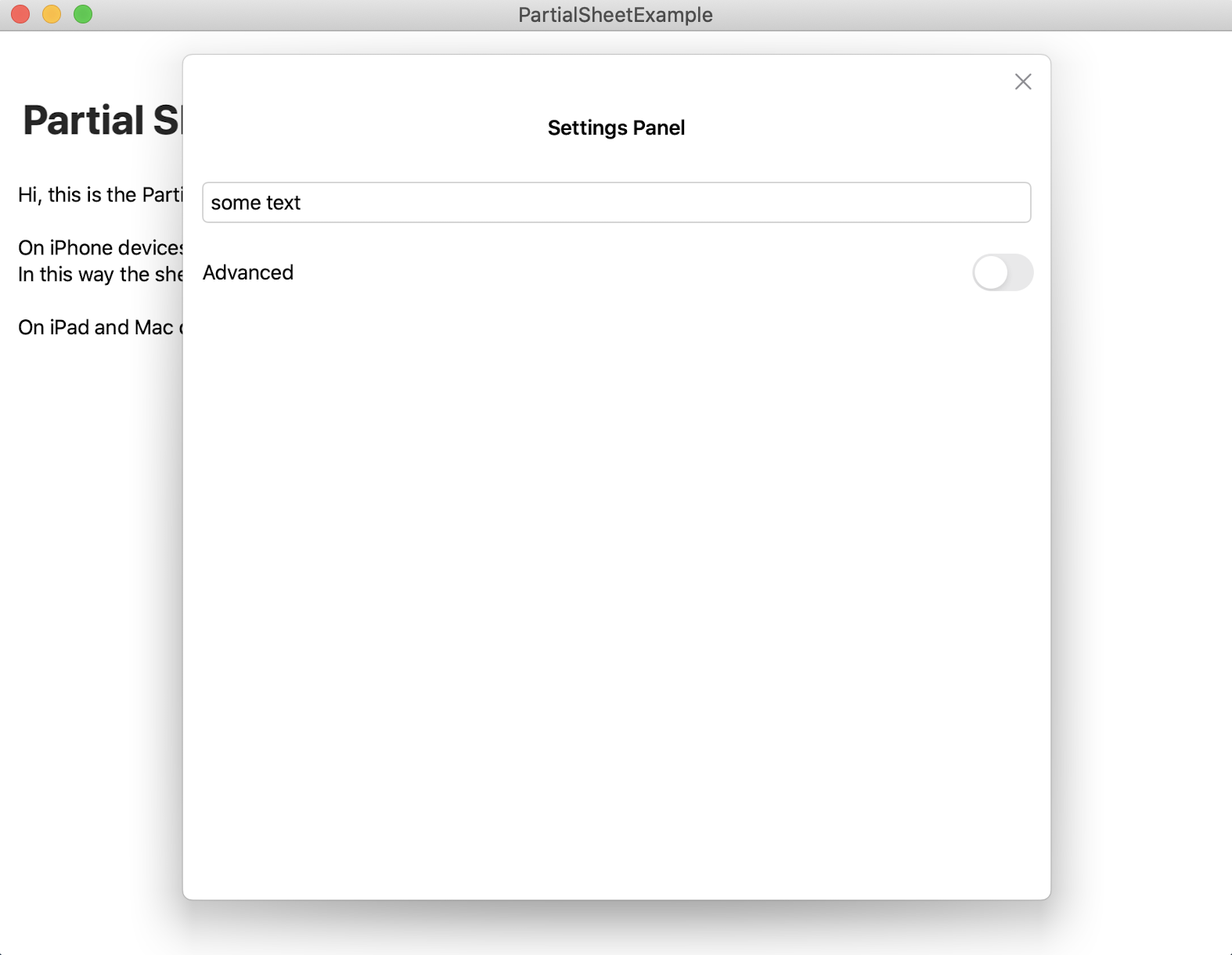
A custom SwiftUI modifier to present a Partial Modal Sheet based on his content size.
**Version 2.0 has been released, there are a lot of breaking changes, make sure to read the guide before update!**
## Index
- [Features](#features)
- [Version 2](#version-2)
- [Installation](#installation)
- [How To Use](#how-to-use)
- [Wiki - Full Guide](https://github.com/AndreaMiotto/PartialSheet/wiki)
## iPhone Preview

 ## iPad Preview
 ## Mac Preview
 ## Features
#### Availables
- \[x] Slidable and dismissable with drag gesture
- \[x] Variable height based on his content
- \[x] Customizable colors
- \[x] Keyboard compatibility
- \[x] Landscape compatibility
- \[x] iOS compatibility
- \[x] iPad compatibility
- \[x] Mac compatibility
#### Nice to have
- \[ ] ScrcrollView and List compatibility: as soon as Apple adds some API to handle better ScrollViews
## Version 2
The new version brings a lot of breaking changes and a lot of improvments:
- The Partial Sheet can now be called from any view in the *navigation stack*
- The Partial Sheet can now be called from any item inside a *List*
- The Partial Sheet is now handled as an *environment object* making easy to display and close it.
## Installation
#### Requirements
- iOS 13.0+ / macOS 10.15+
- Xcode 11.2+
- Swift 5+
#### Via Swift Package Manager
In Xcode 11 or grater, in you project, select: `File > Swift Packages > Add Pacakage Dependency`.
In the search bar type **PartialSheet** and when you find the package, with the **next** button you can proceed with the installation.
If you can't find anything in the panel of the Swift Packages you probably haven't added yet your github account.
You can do that under the **Preferences** panel of your Xcode, in the **Accounts** section.
## How to Use
*You can read more on the [wiki - full guide](https://github.com/AndreaMiotto/PartialSheet/wiki).*
To use the **Partial Sheet** you need to follow just three simple steps
1. Add a **Partial Sheet Manager** instance as an *environment object* to your Root View in you *SceneDelegate*
```Swift
// 1.1 Create the manager
let sheetManager: PartialSheetManager = PartialSheetManager()
let contentView = ContentView()
// 1.2 Add the manager as environmentObject
.environmentObject(sheetManager)
//Common SwiftUI code to add the rootView in your rootViewController
if let windowScene = scene as? UIWindowScene {
let window = UIWindow(windowScene: windowScene)
window.rootViewController = UIHostingController(
rootView: contentView
)
self.window = window
window.makeKeyAndVisible()
}
```
2. Add the **Partial View** to your *Root View*, and if you want give it a style. In your RootView file at the end of the builder add the following modifier:
```Swift
struct ContentView: View {
var body: some View {
...
.addPartialSheet(style: )
}
}
```
3. In anyone of your views add a reference to the *environment object* and than just call the `showPartialSheet(_ onDismiss: (() -> Void)? = nil, @ViewBuilder content: @escaping () -> T) where T: View` func whenever you want like this:
```Swift
@EnvironmentObject var partialSheetManager: PartialSheetManager
...
Button(action: {
self.partialSheetManager.showPartialSheet({
print("Partial sheet dismissed")
}) {
Text("This is a Partial Sheet")
}
}, label: {
Text("Show sheet")
})
```
If you want a starting point copy in your SceneDelegate and in your ContentView files the following code:
1. SceneDelegate:
```Swift
func scene(_ scene: UIScene, willConnectTo session: UISceneSession, options connectionOptions: UIScene.ConnectionOptions) {
let sheetManager: PartialSheetManager = PartialSheetManager()
let contentView = ContentView()
.environmentObject(sheetManager)
if let windowScene = scene as? UIWindowScene {
let window = UIWindow(windowScene: windowScene)
window.rootViewController = UIHostingController(
rootView: contentView
)
self.window = window
window.makeKeyAndVisible()
}
}
```
2. ContentView:
```Swift
import SwiftUI
import PartialSheet
struct ContentView: View {
@EnvironmentObject var partialSheet : PartialSheetManager
var body: some View {
NavigationView {
VStack(alignment: .center) {
Spacer()
Button(action: {
self.partialSheet.showPartialSheet({
print("dismissed")
}) {
Text("Partial Sheet")
}
}, label: {
Text("Show Partial Sheet")
})
Spacer()
}
.navigationBarTitle("Partial Sheet")
}
.navigationViewStyle(StackNavigationViewStyle())
.addPartialSheet()
}
}
struct ContentView_Previews: PreviewProvider {
static var previews: some View {
ContentView()
}
}
```
Remember to always add `import PartialSheet` in every file you want to use the PartialSheet.
In the **Example** directory you can find more examples with more complex structures.
## Features
#### Availables
- \[x] Slidable and dismissable with drag gesture
- \[x] Variable height based on his content
- \[x] Customizable colors
- \[x] Keyboard compatibility
- \[x] Landscape compatibility
- \[x] iOS compatibility
- \[x] iPad compatibility
- \[x] Mac compatibility
#### Nice to have
- \[ ] ScrcrollView and List compatibility: as soon as Apple adds some API to handle better ScrollViews
## Version 2
The new version brings a lot of breaking changes and a lot of improvments:
- The Partial Sheet can now be called from any view in the *navigation stack*
- The Partial Sheet can now be called from any item inside a *List*
- The Partial Sheet is now handled as an *environment object* making easy to display and close it.
## Installation
#### Requirements
- iOS 13.0+ / macOS 10.15+
- Xcode 11.2+
- Swift 5+
#### Via Swift Package Manager
In Xcode 11 or grater, in you project, select: `File > Swift Packages > Add Pacakage Dependency`.
In the search bar type **PartialSheet** and when you find the package, with the **next** button you can proceed with the installation.
If you can't find anything in the panel of the Swift Packages you probably haven't added yet your github account.
You can do that under the **Preferences** panel of your Xcode, in the **Accounts** section.
## How to Use
*You can read more on the [wiki - full guide](https://github.com/AndreaMiotto/PartialSheet/wiki).*
To use the **Partial Sheet** you need to follow just three simple steps
1. Add a **Partial Sheet Manager** instance as an *environment object* to your Root View in you *SceneDelegate*
```Swift
// 1.1 Create the manager
let sheetManager: PartialSheetManager = PartialSheetManager()
let contentView = ContentView()
// 1.2 Add the manager as environmentObject
.environmentObject(sheetManager)
//Common SwiftUI code to add the rootView in your rootViewController
if let windowScene = scene as? UIWindowScene {
let window = UIWindow(windowScene: windowScene)
window.rootViewController = UIHostingController(
rootView: contentView
)
self.window = window
window.makeKeyAndVisible()
}
```
2. Add the **Partial View** to your *Root View*, and if you want give it a style. In your RootView file at the end of the builder add the following modifier:
```Swift
struct ContentView: View {
var body: some View {
...
.addPartialSheet(style: )
}
}
```
3. In anyone of your views add a reference to the *environment object* and than just call the `showPartialSheet(_ onDismiss: (() -> Void)? = nil, @ViewBuilder content: @escaping () -> T) where T: View` func whenever you want like this:
```Swift
@EnvironmentObject var partialSheetManager: PartialSheetManager
...
Button(action: {
self.partialSheetManager.showPartialSheet({
print("Partial sheet dismissed")
}) {
Text("This is a Partial Sheet")
}
}, label: {
Text("Show sheet")
})
```
If you want a starting point copy in your SceneDelegate and in your ContentView files the following code:
1. SceneDelegate:
```Swift
func scene(_ scene: UIScene, willConnectTo session: UISceneSession, options connectionOptions: UIScene.ConnectionOptions) {
let sheetManager: PartialSheetManager = PartialSheetManager()
let contentView = ContentView()
.environmentObject(sheetManager)
if let windowScene = scene as? UIWindowScene {
let window = UIWindow(windowScene: windowScene)
window.rootViewController = UIHostingController(
rootView: contentView
)
self.window = window
window.makeKeyAndVisible()
}
}
```
2. ContentView:
```Swift
import SwiftUI
import PartialSheet
struct ContentView: View {
@EnvironmentObject var partialSheet : PartialSheetManager
var body: some View {
NavigationView {
VStack(alignment: .center) {
Spacer()
Button(action: {
self.partialSheet.showPartialSheet({
print("dismissed")
}) {
Text("Partial Sheet")
}
}, label: {
Text("Show Partial Sheet")
})
Spacer()
}
.navigationBarTitle("Partial Sheet")
}
.navigationViewStyle(StackNavigationViewStyle())
.addPartialSheet()
}
}
struct ContentView_Previews: PreviewProvider {
static var previews: some View {
ContentView()
}
}
```
Remember to always add `import PartialSheet` in every file you want to use the PartialSheet.
In the **Example** directory you can find more examples with more complex structures.