# nmapgui
**Repository Path**: elainelover/nmapgui
## Basic Information
- **Project Name**: nmapgui
- **Description**: nmap的图形化版本(后台)
- **Primary Language**: Unknown
- **License**: GPL-3.0
- **Default Branch**: master
- **Homepage**: None
- **GVP Project**: No
## Statistics
- **Stars**: 2
- **Forks**: 0
- **Created**: 2021-02-05
- **Last Updated**: 2021-08-31
## Categories & Tags
**Categories**: Uncategorized
**Tags**: None
## README

nmapgui fork。
此为后端代码库。
前端代码在 https://gitee.com/coconet_x/nmapgui
开发人:刘自强 孙奉续
公司:北京椰子树信息技术有限公司
====
[](https://github.com/danicuestasuarez/NMapGUI/releases/latest)
[](https://travis-ci.org/danicuestasuarez/NMapGUI)
[](https://codecov.io/gh/danicuestasuarez/NMapGUI)
[](https://www.codacy.com/app/danicuestasuarez/NMapGUI?utm_source=github.com&utm_medium=referral&utm_content=danicuestasuarez/NMapGUI&utm_campaign=Badge_Grade)
[](https://github.com/danicuestasuarez/NMapGUI/issues)
[](https://discord.gg/5s6kUA6)
NMapGUI is an advanced graphical user interface for NMap network analysis tool. It allows to extend and ease the typical usage of NMap by providing a visual and fast interface with the application
**THIS PROJECT IS CURRENTLY UNMAINTAINED**
**- For the moment Java8 is required. Later versions not supported (Issue #25) -**
If you have any questions about NMapGUI usage or want to get in contact with me, please visit:
* [Twitter](https://twitter.com/Danielcues)
* [LinkedIn](https://www.linkedin.com/in/danicuesta/)
#### Features
* Cross-platform (You can use it on Linux, Windows, MacOs, etc.)
* Multiple command execution at the same time.
* Standard NMap output.
* HTML report NMap output.
* Interactive traceroute graph output
* Saving output as XML.
* Output minimizing, maximizing and deleting.
* Menu to find most of nmap options and your system's scripts.
* Start and stop the webapp at any moment.
### Zenmap vs NMapGUI
| | Zenmap| NMapGUI |
| ---: | :---: | :---: |
| __Multiple parallel commands__ | :no_entry_sign: | :white_check_mark:|
| __Option menu__ | :no_entry_sign: | :white_check_mark: |
| __ᴺᴱᵂ System's script list__ | :no_entry_sign: | :white_check_mark: |
| __Automatic HTML report__ | :no_entry_sign: | :white_check_mark:|
| __Pretty interface__ | :poop: | :white_check_mark:|
| __Graph output__ | :white_check_mark: | :sparkles::white_check_mark::sparkles: |
| __Unnecessary tabs and menus__ | :white_check_mark: | :no_entry_sign: |
| __Installation method__ | Installer | Portable |
| __Cross-platform__ | Compiled__⁽*⁾__ | Unique jar__⁽*⁾__|
\* Compiled: Custom file for each OS
\* Unique jar: Unique file for any OS
## Screenshots
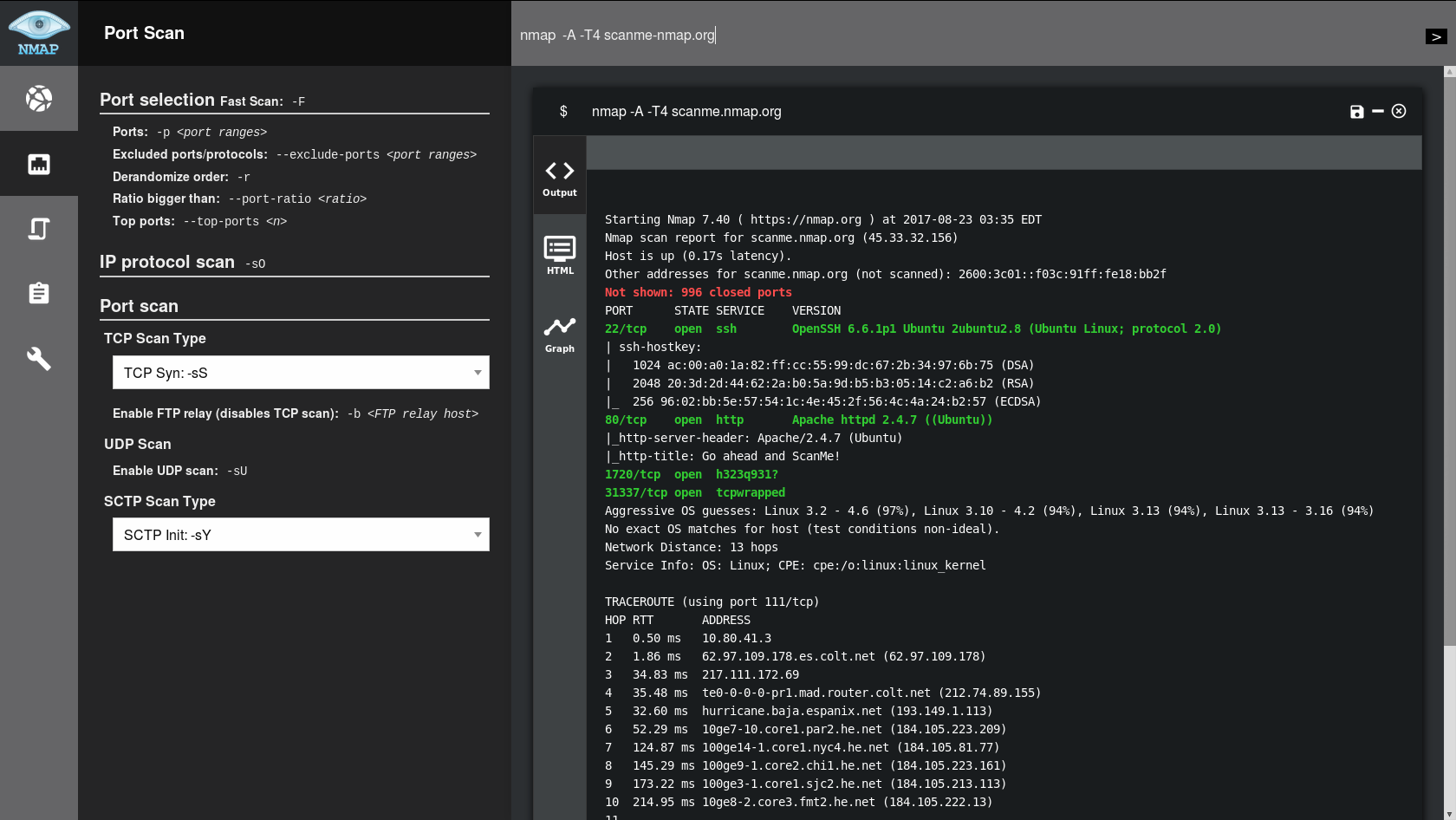
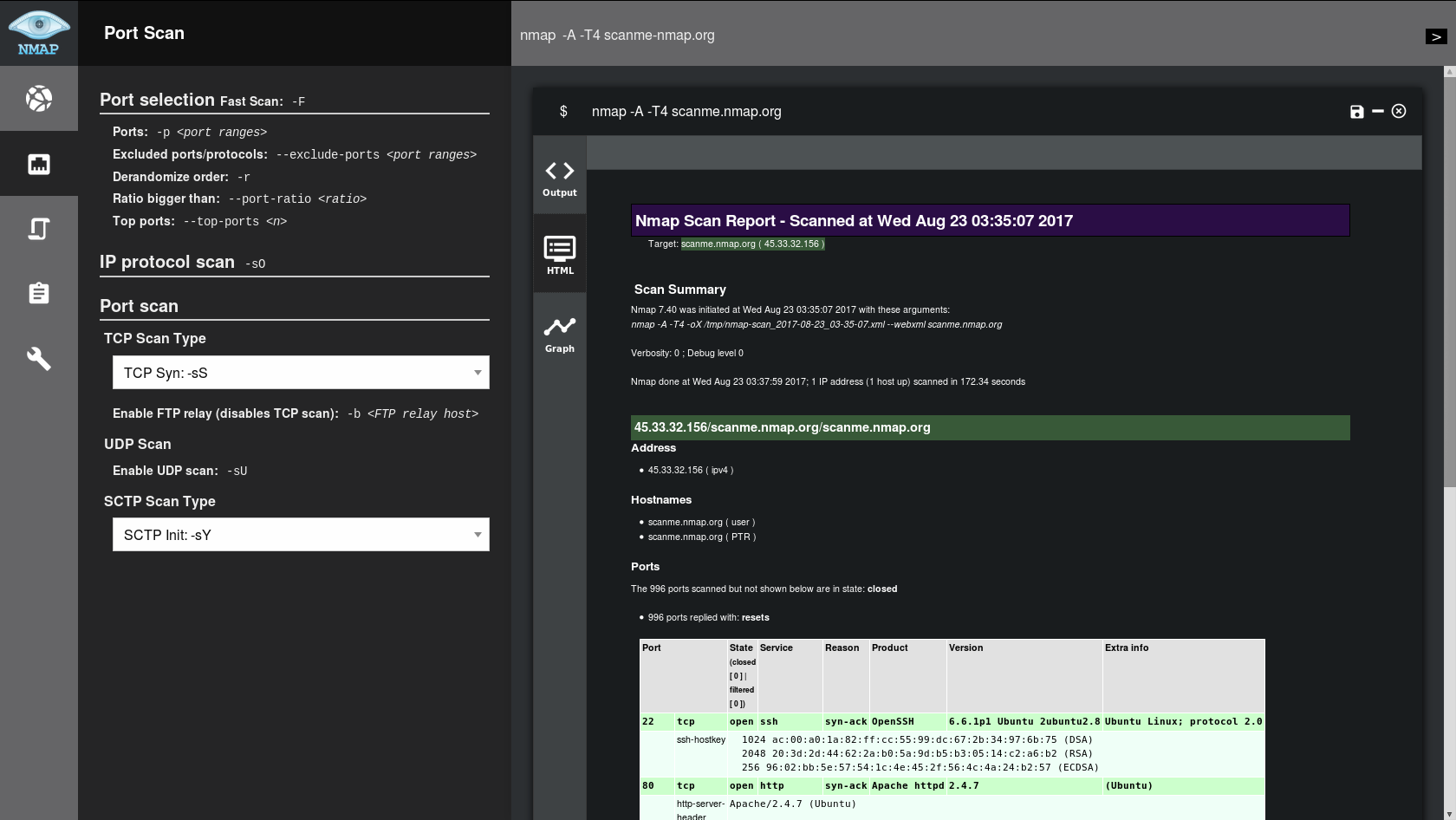
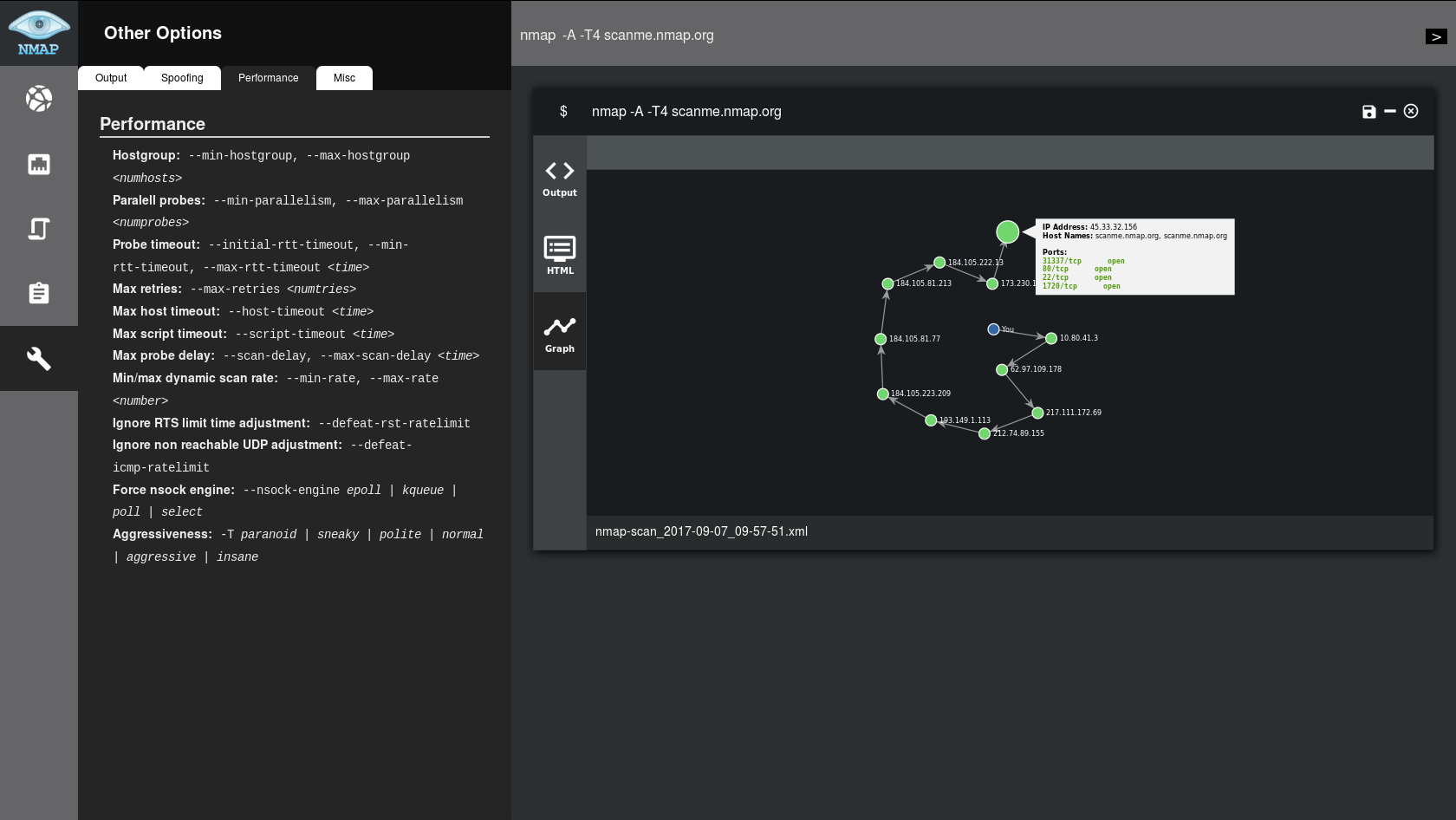
## Installation
For the moment, NMapGUI can't be installed, it's just a compressed java jar application.
So just go to the [releases page](https://github.com/danicuestasuarez/NMapGUI/releases) and download the latest zip, unzip it and enjoy NMapGUI!
On progress: Menu creation
## Usage
### Starting the application
For the moment, you will have to execute the jar file. If you have java properly configured in your system, it should work just by double-clicking the jar file. Otherwise, you will have to launch it with your console. For that I recommend the following command on Linux:
`nohup java -jar nmapGUI-0.6.1-snapshot.jar $`
as it will let you close the console and still use the app.
Visit [our wiki](https://github.com/danicuestasuarez/NMapGUI/wiki/Using-NMapGUI) to find out how to use NMapGUI