# ZXingBlazor
**Repository Path**: densen2014/ZXingBlazor
## Basic Information
- **Project Name**: ZXingBlazor
- **Description**: Using ZXing Scan barcode/QR code in blazor
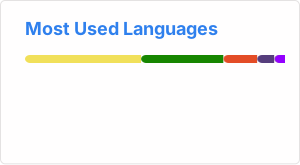
- **Primary Language**: HTML
- **License**: Apache-2.0
- **Default Branch**: master
- **Homepage**: None
- **GVP Project**: No
## Statistics
- **Stars**: 3
- **Forks**: 2
- **Created**: 2022-01-10
- **Last Updated**: 2024-01-17
## Categories & Tags
**Categories**: Uncategorized
**Tags**: None
## README
# ZXing Blazor Component 1.0.10
English | Other Blazor components
---
## Introduction
This project is a Blazor component library packaged with ZXing, Support barcode, QR code, PDF417 format.
## Demo
https://zxingblazor.app1.es
https://zxingblazorwasm.app1.es
https://blazor.app1.es/barcodescanner
## Nuget
https://www.nuget.org/packages/ZXingBlazor/
## Screenshot

## Instructions:
1. NuGet install pack
`ZXingBlazor`
2. _Imports.razor or Razor page
```
@using ZXingBlazor.Components
```
3. Razor page
Razor
```
Result:
@BarCode
@code{
///
/// BarCode
///
public string? BarCode { get; set; }
private void ScanResult(string e)
{
BarCode = e;
ShowScanBarcode = !ShowScanBarcode;
}
}
```
## Updates
2023.11.5
v1.0.8
- fix issue
- hide debug info, manual open debug info, add options.Debug=true
2023.11.1
- Add 1. Save the last used device ID and call it automatically next time. 2. Specify the camera device ID.
- Add Start,Stop,Reload , DecodeFromImage(dataUrl)
2023.8.16
- 1. Add BarCodes decode from image and Generate QRcode Components
2022.11.23 Add optiones
- 1. Pdf417Only: decode only Pdf417 format
- 2. Decodeonce: decode Once or Decode Continuously, default is Once
- 3. DecodeAllFormats: decodde All Formats, performance is poor, you can set options.formats to customize specify the encoding formats. The default is false
2022.3.6
- Upgrade to js isolated version, add image browser Viewer component, and upgrade demo project to net6 format
2021.5.13
- BarcodeReader supports defining button text and supports multiple languages
## Participate in contribution
1. Fork this project
2. Create new Feat_xxx branch
3. Submit the code
4. New Pull Request
----
# ZXing Blazor 扫码组件 1.0.8
其他 Blazor 组件
---
## 项目介绍
本项目是利用 ZXing 进行封装的 Blazor 组件库, 支持条码,二维码,PDF417格式.
## 演示地址
ssr
https://zxingblazor.app1.es
wasm
https://zxingblazorwasm.app1.es
## Nuget 包安装
https://www.nuget.org/packages/ZXingBlazor/
## 使用步骤:
1. 安装 NuGet 包
`ZXingBlazor`
2. _Imports.razor 或者 Razor 页面引用
```
@using ZXingBlazor.Components
```
3. Razor 页面代码
Razor
```
Result:
@BarCode
@code{
///
/// BarCode
///
public string? BarCode { get; set; }
private void ScanResult(string e)
{
BarCode = e;
ShowScanBarcode = !ShowScanBarcode;
}
}
```
## 更新
2023.11.5
v1.0.8
- 修复问题
- 隐藏调试信息,手动打开调试信息,添加options.Debug=true
-
2023.11.1
- 添加 1.保存最后使用设备ID下次自动调用, 2.指定摄像头设备ID
- 添加 Start,Stop,Reload , DecodeFromImage(dataUrl)
2023.8.16
- 1. 添加 BarCodes 解码图片/QR码生成组件
2022.11.23 添加选项
- 1. Pdf417Only: 只解码 Pdf417 格式 / decode only Pdf417 format
- 2. Decodeonce: 单次|连续解码,默认单次 / Decode Once or Decode Continuously, default is Once
- 3. DecodeAllFormats: 解码所有编码形式,性能较差, 开启后可用 options.formats 指定编码形式.默认为 false | Decodde All Formats, performance is poor, you can set options.formats to customize specify the encoding formats. The default is false
2022.3.6
- 升级为js隔离版本,添加图片浏览器 Viewer组件, 演示工程升级为net6格式
2021.5.13
- BarcodeReader 支持定义按钮文本,支持多语言
## 参与贡献
1. Fork 本项目
2. 新建 Feat_xxx 分支
3. 提交代码
4. 新建 Pull Request
---
#### Blazor 组件
[条码扫描 ZXingBlazor](https://www.nuget.org/packages/ZXingBlazor#readme-body-tab)
[](https://www.nuget.org/packages/ZXingBlazor)
[](https://www.nuget.org/stats/packages/ZXingBlazor?groupby=Version)
[图片浏览器 Viewer](https://www.nuget.org/packages/BootstrapBlazor.Viewer#readme-body-tab)
[条码扫描 BarcodeScanner](Densen.Component.Blazor/BarcodeScanner.md)
[手写签名 Handwritten](Densen.Component.Blazor/Handwritten.md)
[手写签名 SignaturePad](https://www.nuget.org/packages/BootstrapBlazor.SignaturePad#readme-body-tab)
[定位/持续定位 Geolocation](https://www.nuget.org/packages/BootstrapBlazor.Geolocation#readme-body-tab)
[屏幕键盘 OnScreenKeyboard](https://www.nuget.org/packages/BootstrapBlazor.OnScreenKeyboard#readme-body-tab)
[百度地图 BaiduMap](https://www.nuget.org/packages/BootstrapBlazor.BaiduMap#readme-body-tab)
[谷歌地图 GoogleMap](https://www.nuget.org/packages/BootstrapBlazor.Maps#readme-body-tab)
[蓝牙和打印 Bluetooth](https://www.nuget.org/packages/BootstrapBlazor.Bluetooth#readme-body-tab)
[PDF阅读器 PdfReader](https://www.nuget.org/packages/BootstrapBlazor.PdfReader#readme-body-tab)
[文件系统访问 FileSystem](https://www.nuget.org/packages/BootstrapBlazor.FileSystem#readme-body-tab)
[光学字符识别 OCR](https://www.nuget.org/packages/BootstrapBlazor.OCR#readme-body-tab)
[电池信息/网络信息 WebAPI](https://www.nuget.org/packages/BootstrapBlazor.WebAPI#readme-body-tab)
#### AlexChow
[今日头条](https://www.toutiao.com/c/user/token/MS4wLjABAAAAGMBzlmgJx0rytwH08AEEY8F0wIVXB2soJXXdUP3ohAE/?) | [博客园](https://www.cnblogs.com/densen2014) | [知乎](https://www.zhihu.com/people/alex-chow-54) | [Gitee](https://gitee.com/densen2014) | [GitHub](https://github.com/densen2014)